How snapshots make lost data visible within BI
Many organizations manage their operations using real-time dashboards, but they lack the historical context behind their processes. As a result, delays, deviations, and structural bottlenecks often remain invisible. In this blog, you will learn how modern data platforms solve this using snapshots.
Why real-time data alone is not enough
Many organizations invest in Business Intelligence to gain better control over processes, performance, and operational management. Yet, many of them run into the same problem:
The data in their systems only shows the current situation.
What happened yesterday, how processes changed, and when deviations occurred is often no longer visible. And that is exactly where valuable information is lost.
A simple example
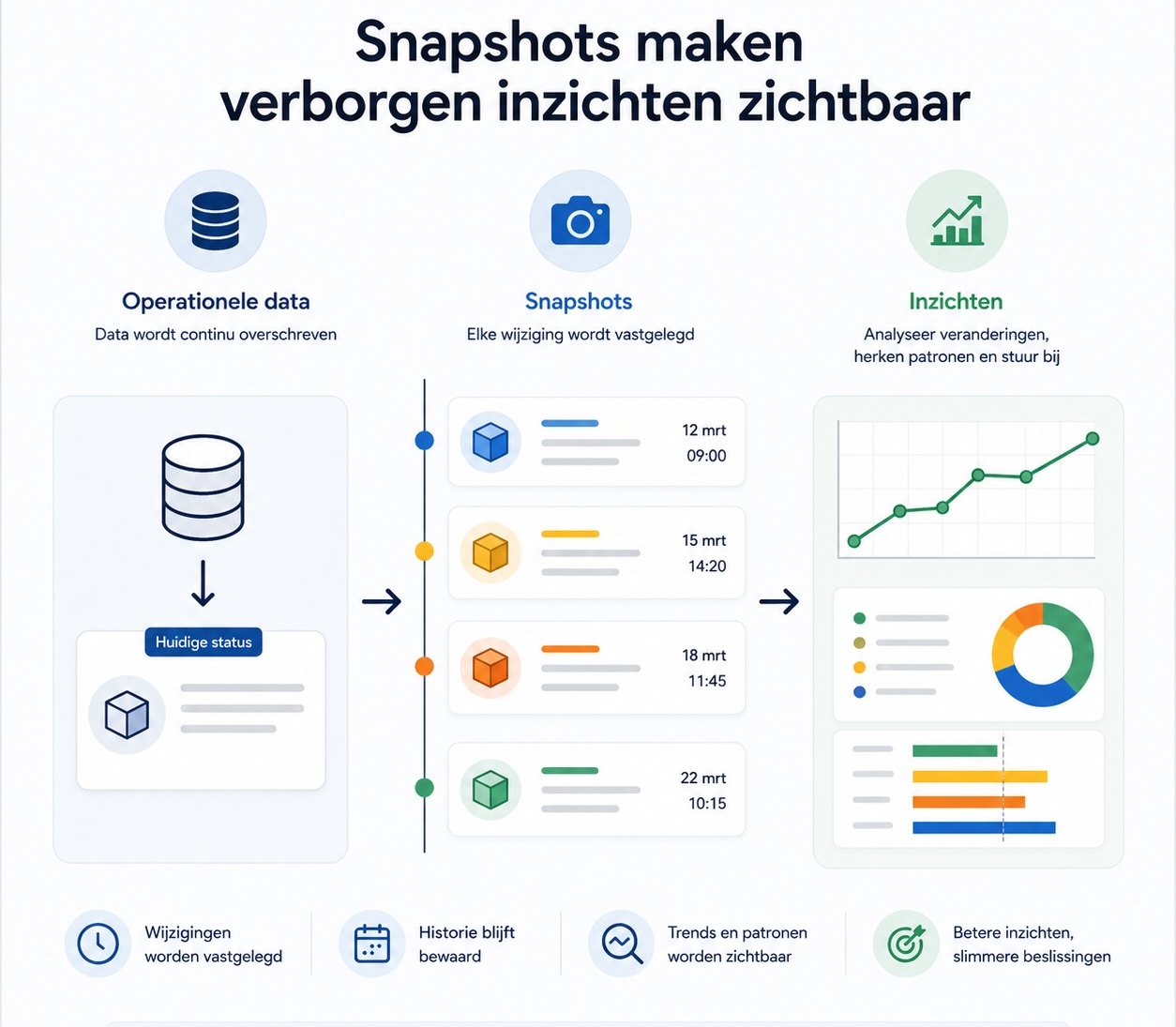
A supplier was scheduled to deliver an order on March 12.
But then that date changed to:
- March 15
- then March 18
- eventually March 22
In many systems, you ultimately only see: Delivery date March 22
But what you no longer see:
- How many times the delivery was postponed
- When this happened
- How much delay occurred
- Which supplier changed the date
That information has been overwritten and is therefore gone. And that is exactly where a major problem arises within Business IntelligenceBecause without historical data, you can report on the current situation, but you cannot analyze how processes are actually evolving.
In modern data platforms, we solve this with a technology called: snapshots.
Operational data is continuously overwritten
Almost every business system works with current data. That sounds logical, but it also creates a challenge for Business Intelligence (BI) and analytics.
A few recognizable examples:
- An order changes from ordered to shipped to delivered
- An inventory level is adjusted several times a month
- A project status shifts from engineering to production
- A schedule and deadline are updated
- Expected delivery times change during the process
The current status remains visible. But previous statuses disappear.
This means that organizations are often no longer able to analyze:
- How long something has been in a particular phase
- Where delays occurred
- How processes are developing
- Which trends were visible
- When deviations began
As a result, many dashboards only show a snapshot of today, not the full story.
Why this is a BI challenge
Business Intelligence is not just about current insights, but primarily about recognizing patterns, deviations, and trends.
Without historical context, that becomes difficult.
Because how do you analyze, for example:
- Suppliers that consistently deliver late?
- Deadlines that have been changed frequently?
- Inventory fluctuations over time?
- Lead times per project phase?
- Capacity issues?
- Process delays?
- Status changes within projects?
When historical data is missing, organizations often lack the very information needed to structurally improve processes.
Real-time insight shows what is happening now. Historical insight shows why it is happening.
What are snapshots?
Snapshots ensure that data changes are saved automatically.
You can think of it as an automatic "photo" of data at a specific moment in time. As soon as information changes or is overwritten, the previous state is preserved.
This creates a historical view of how processes actually develop.
Instead of just the current status, you can now also analyze:
- How data changes over time
- How long processes take
- Where deviations occur
- Which trends are visible
- Which events impact performance
Snapshots therefore enrich your data platform with information that operational systems normally lose.
Snapshots enrich your current systems
Even when you work with only one ERP- or operational system, snapshots add historical insights that are normally lost.
Many operational systems are designed for managing current data, not for historical analysis. Snapshots therefore strengthen your existing systems by automatically capturing changes in data.
This creates a much richer foundation for BI, process analysis, and operational management.
This is how you get more value out of the data you already have today.
Why snapshots belong in a data platform
Snapshots are at their most powerful when they are part of a central data platform.
A data platform brings together data from different systems, structures it, and enriches information from various processes. Think of ERP, CRM, planning, or project data.
Within such a platform, data is often structured in different layers:
- A RAW layer for raw source data
- A Staging layer in which data is cleaned and standardized
- A Intermediate layer in which various data sources are combined
- A Mart layer which is ultimately used for dashboards and BI
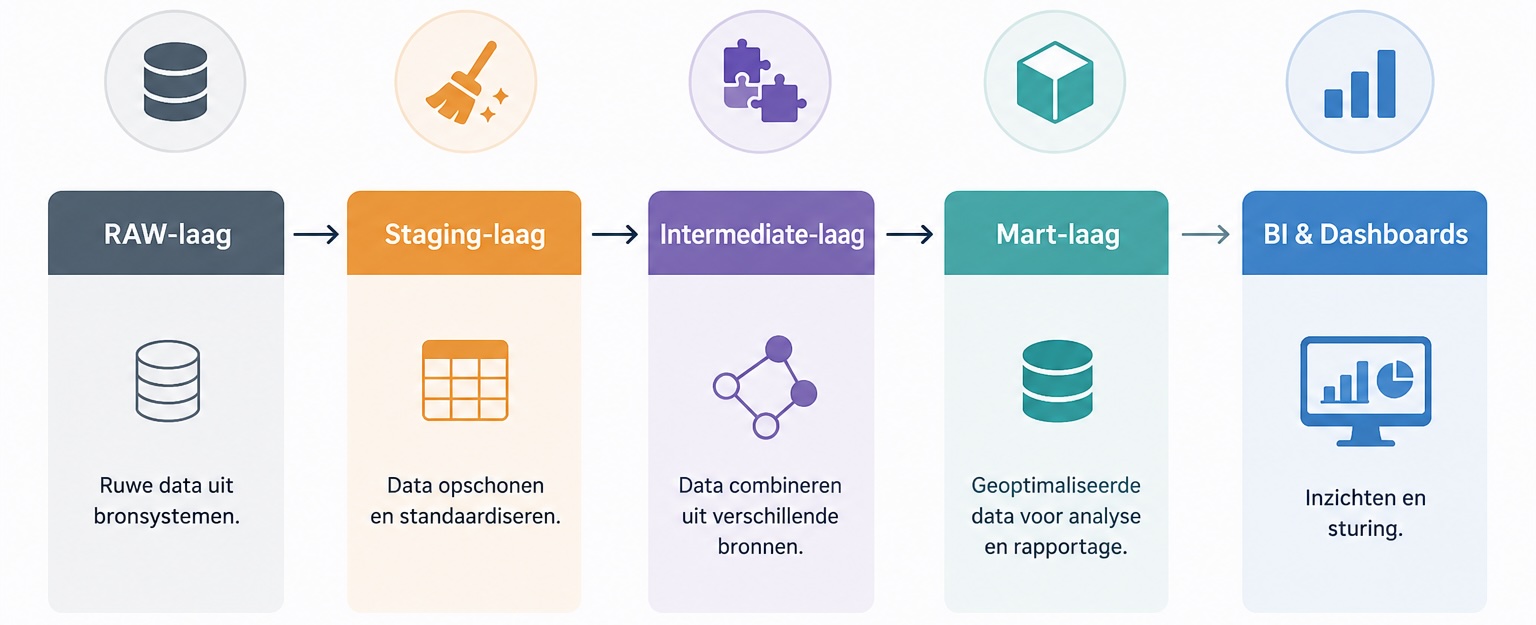
Snapshots add a historical layer to the data platform. They ensure that organizations can not only analyze the current situation but also understand how processes evolve over time.
This allows organizations to analyze, for example:
- How often schedules shift
- Which suppliers are structurally delayed
- How lead times are developing
- When deviations occur
- Which processes keep getting stuck
Practical applications of snapshots within BI
Below are a number of dashboards where snapshots offer enormous added value.
Delivery reliability dashboard
Many organizations only see the current delivery date of an order.
Snapshots make it visible:
- How often delivery dates shift
- Which suppliers are structurally delayed
- Which projects are at risk
- How lead times evolve over time
This provides much better insight into supplier reliability and the impact on planning and production.
Planning & capacity dashboard
Schedules are constantly changing.
snapshots provide insight into:
- How often projects are rescheduled
- Which departments become overloaded
- Where structural delays occur
- How capacity pressure evolves over time
Instead of just a current schedule, you gain insight into the stability of the entire operation.
Process lead time dashboard
Many organizations work with statuses such as:
- In progress
- Engineering
- Production
- Ready
- Completed
Normally, you only see the current status.
Snapshots make it visible:
- How long processes remain in a specific phase
- Which steps cause delays
- Where bottlenecks occur
- Which projects deviate from the norm
This allows organizations to focus much more effectively on process optimization.
Inventory analysis dashboard
Inventory changes daily.
Snapshots make it possible to analyze:
- How inventory levels develop
- When peaks and shortages occur
- Which items fluctuate structurally
- How inventory consumption develops over time
This helps organizations set up forecasting and inventory management much more intelligently.
Data quality dashboard
Many data problems arise gradually.
With snapshots, organizations can analyze:
- When data becomes incomplete
- Which fields are structurally filled in incorrectly
- How data quality develops over time
- Which processes cause the most data corruption
This makes data quality not only visible, but also manageable.
Why this works better in a data platform than directly in Power BI
A common mistake is trying to solve historical logic directly within Power BI.
This often leads to:
- Heavy models
- Slow dashboards
- Complex logic
- Difficult maintenance
- Limited scalability
A data platform is specifically designed to process historical intelligence centrally.
This allows Power BI to keep doing what it does best:
visualizing and analyzing insights.
The data platform handles:
- historical storage
- modeling
- snapshots
- enrichment
- process logic
As a result, dashboards remain faster, more reliable, and more scalable.
Conclusion on snapshots
Many organizations only look at the current state of their data. But the real value often lies in the changes that occur along the way.
Snapshots make that hidden layer visible.
They ensure that organizations not only see what is happening, but also understand why it happens.
Curious how a modern data platform with snapshots can reveal hidden insights within your organization? Schedule a no-obligation demo!

Sign up for our newsletter
Every month, we'll send you one email full of smart insights about data-driven work, AI applications and software choices that really help you.
Related articles
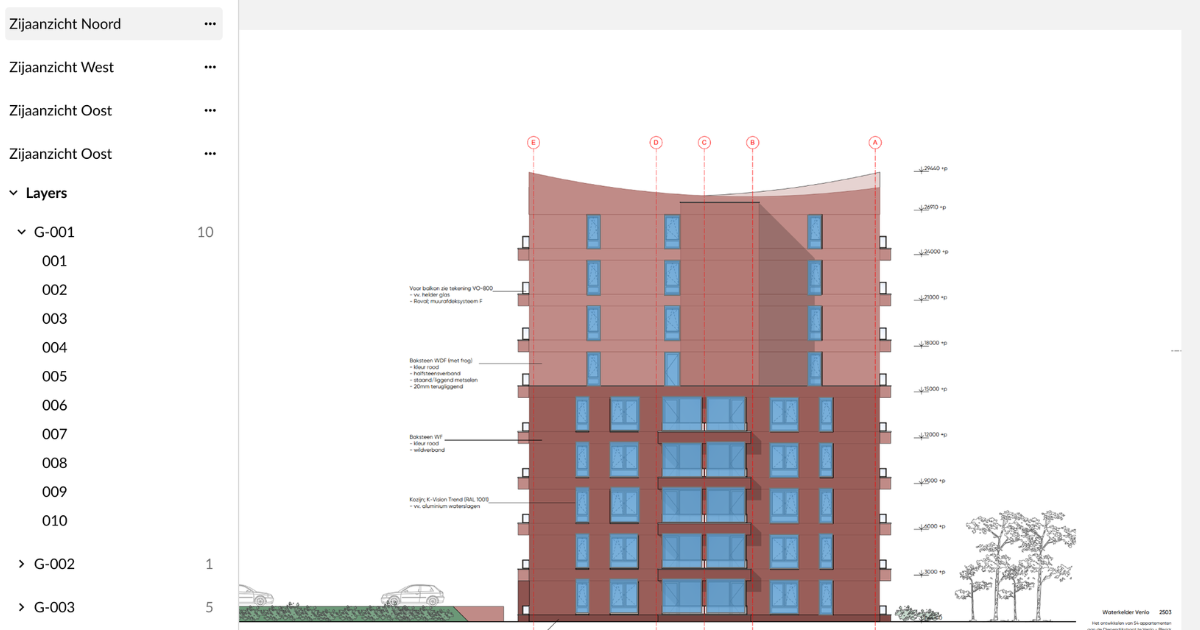
Construction estimation software primarily helps with calculating costs, hours, materials, markups, and margins. AI assists by analyzing project information from various sources simultaneously and providing actionable input for the rest of the estimation process.